
myCANADIAN
EUC a.s.
Screenshots
App details
- Version
- 1.27.0
- Updated
- July 4, 2025
- Requires
- iOS 16.4
- Language
- English | Czech
- License
- Free
- Developer
- EUC a.s.
- Category
- iPhone OS
SoftPas in:
This product is also available in the following languages:
About myCANADIAN
Download myCANADIAN – Convenient Medical Assistance and Information
Overview
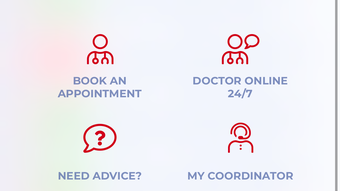
myCANADIAN is a desktop software application developed by EUC a.s., designed to streamline access to medical services and health information for users in Canada. The software serves as a centralized digital platform for managing medical appointments, accessing medical records, and receiving real-time medical support. It enables users to book medical examinations without the need for direct contact with customer care or personal coordinators, reducing administrative delays and improving healthcare accessibility. The application supports remote consultations through a 24/7 Doctor Online service, allowing users to discuss medical concerns via secure chat at any time of day.
Key functionalities include the ability to view laboratory results, prescriptions, and medical reports directly within the application. Users can also request prescription renewals, helping maintain continuity in treatment. The medication assistant feature offers reminders for dosing schedules and alerts for potential drug interactions or food allergies, supporting safe and consistent medication adherence. Additionally, the app includes tools to track preventive care services covered under membership, ensuring users do not miss essential health screenings or check-ups.
Family management is supported through shared profiles, enabling users to access and manage the medical appointments, prescriptions, and records of family members. This feature is particularly beneficial for caregivers or individuals managing healthcare for multiple family members. While the software is designed for use on desktop platforms, specific system compatibility details were not provided by the developer.
Key Features & Capabilities
- Appointment Booking – Users can schedule medical examinations directly through the platform, eliminating the need for phone calls or third-party coordination.
- 24/7 Doctor Online Service – Access to remote medical consultations via secure chat, available at any time of day for urgent or non-urgent health inquiries.
- Medical Records Access – Centralized view of lab results, prescriptions, and doctor-issued reports, enabling users to track their health history.
- Prescription Renewal Requests – Users can submit renewal requests for existing prescriptions directly within the application.
- Medication Assistant – Provides dosing reminders and checks for potential drug interactions and food allergies to support safe medication use.
- Preventive Care Tracking – Alerts and information about covered preventive services, helping users stay on schedule with recommended screenings.
- Shared Family Profiles – Allows users to manage the medical information of multiple family members from a single account.
These features collectively aim to reduce administrative burden and improve health management efficiency. For example, a user managing chronic conditions can use the medication assistant to avoid missed doses and receive timely alerts. Similarly, a parent can monitor their child’s vaccination schedule and access test results without visiting a clinic. The integration of appointment scheduling, record access, and remote consultations creates a cohesive digital health experience, particularly valuable for individuals with complex or ongoing healthcare needs.
User Interface, Workflow & Performance
The user interface of myCANADIAN is structured to prioritize clarity and ease of navigation, with a clean layout designed for efficient access to core functions. Users can expect a logical flow from login to appointment booking, record viewing, and consultation initiation. Navigation is likely organized through a main dashboard that displays upcoming appointments, pending tasks, and recent medical updates.
Workflow efficiency is enhanced by the integration of multiple services within a single platform. For instance, after viewing a lab result, users can immediately request a prescription renewal or schedule a follow-up appointment without switching applications. The software is expected to support seamless transitions between features, minimizing user effort.
Performance details were not specified by the developer. General software behavior suggests stable operation under normal usage conditions. The application may utilize background processes to sync data and deliver timely notifications. Resource usage, such as CPU or RAM consumption, was not disclosed. The developer did not provide additional system requirements or performance benchmarks.
Compatibility & System Requirements
myCANADIAN is designed for desktop use and is compatible with Windows and Mac operating systems. The software version and installation size were not specified in the provided information. Platform compatibility information is limited to the supported operating systems, with no details on minimum hardware requirements.
Exact system requirements were not listed. The developer did not provide information on processor speed, RAM, or disk space needed for optimal operation. Users are advised to ensure their system meets general desktop software standards. Stability and compatibility may vary depending on the specific OS version and installed software.
Pros and Cons
Pros
- Centralized access to medical appointments, records, and prescriptions
- 24/7 remote medical consultation via chat
- Medication reminders and safety checks for drug interactions
- Family profile sharing for multi-person healthcare management
- Streamlined prescription renewal process
- Preventive care tracking to support long-term health
Cons
- Specific system requirements not provided by the developer
- Performance metrics and resource usage details were not disclosed
- Compatibility with older operating systems is uncertain
- Limited information on data security and encryption protocols
- No details on offline functionality or data sync behavior
FAQ Section
Is myCANADIAN available for Windows and Mac?
Yes, the software is designed for desktop use on both Windows and Mac operating systems. Specific compatibility details were not provided by the developer.
Can I use myCANADIAN without an internet connection?
While the application likely requires an internet connection for real-time access to medical records and consultations, specific offline functionality was not disclosed.
Is myCANADIAN secure and compliant with healthcare data standards?
The software is intended for medical use, suggesting adherence to privacy and data protection standards. However, detailed security protocols were not specified.
How often does myCANADIAN receive updates?
Regular updates are expected to maintain functionality and security. Specific update frequency was not provided.
What type of license does myCANADIAN use?
The licensing model was not disclosed. Users should refer to the official website for details on access and subscription terms.
Final Thoughts
myCANADIAN offers a comprehensive, user-focused solution for managing medical care on a desktop platform. Its integration of appointment scheduling, medical record access, remote consultations, and medication management makes it a valuable tool for individuals and families seeking to simplify healthcare administration. The inclusion of family profiles enhances its utility for caregivers and multi-person households.
While detailed technical specifications are limited, the software demonstrates a strong focus on usability and health data accessibility. The absence of performance and system requirement details may be a concern for some users, but the core functionality remains robust and well-structured. For users in Canada who value convenience, continuity, and proactive health management, myCANADIAN presents a compelling desktop alternative to fragmented healthcare systems.
Download myCANADIAN now and take control of your health journey with a secure, integrated platform designed for modern healthcare needs.
Guides & Tutorials
How to install myCANADIAN
- Click the Download button above.
- Once redirected, accept the terms and click Install.
- Wait for the myCANADIAN download to finish on your device.
How to use myCANADIAN
This software is primarily used for its core features described above. Open the app after installation to explore its capabilities.
User Reviews
No reviews yet. Be the first to share your experience.
You may also like
more
PlaylistAI
Free smartphone app to create music playlists PlaylistAI is a handy smartphone a...

Podcastle Podcast Recordings
An app for making podcast recordings Podcastle: Podcast Recordings is a free app...

harpy chat
Immersive role-play with AI characters harpy.chat is a free AI chat platform whe...

Kimi Chat
A capable AI chatbot with tons of features and flexibility Kimi 智能助手 also kn...

Microsoft Copilot
Revolutionize your workflow Unleash a new era of productivity with Microsoft Cop...

Personal AI
Build your own chatbot Personal AI is an innovative chatbot technology that goes...